


外部接口使用方法

JosephXS
2026-02-03 发布78 浏览 · 0 点赞 · 0 收藏
1. pcf接口
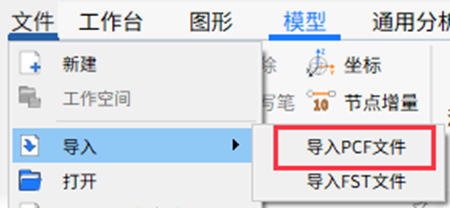
(1)入口:文件→导入→导入pcf文件
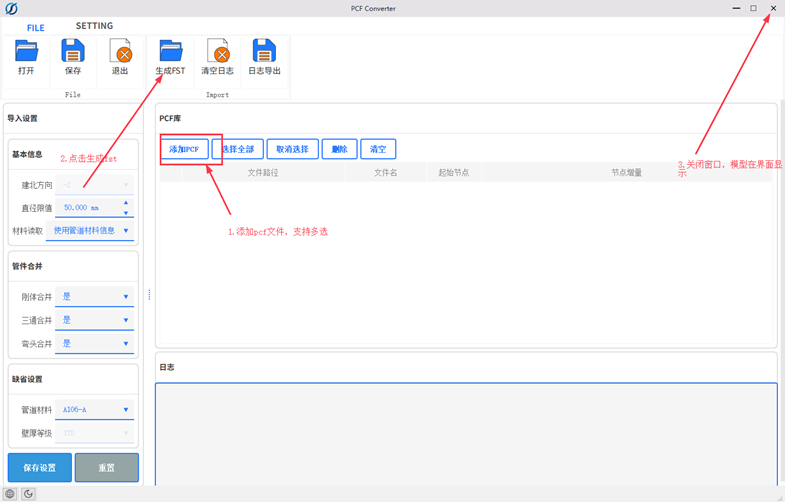
(2)操作方法:1)点击“添加PCF”;2)点击“生成fst”;3)关闭窗口,模型在界面显示。
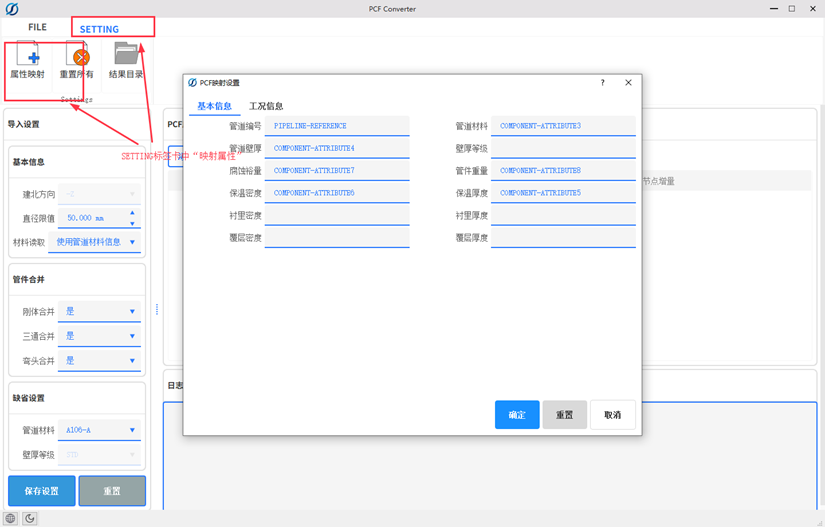
(3)配置方法:“SETTING”标签卡中点击“属性映射”,可修改PCF参数对应关系。
2. CII格式文件导入方法
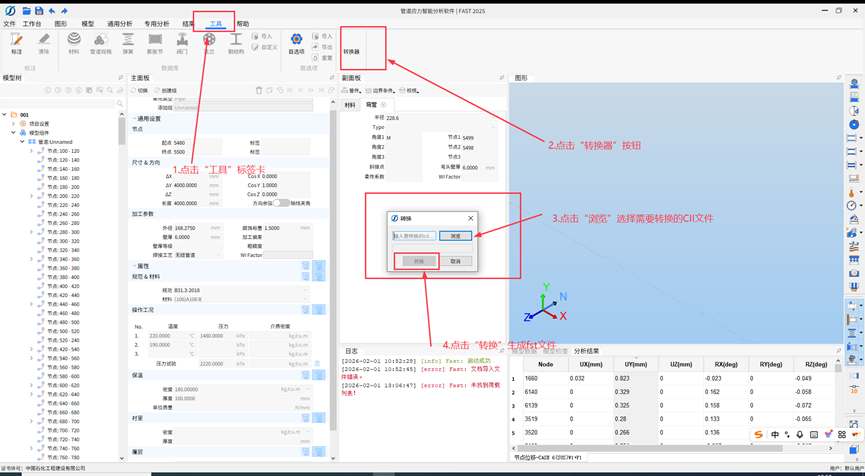
(1)将CII格式文件转换为fst格式文件,操作步骤:1)点击“工具”标签卡;2)点击“转换器”功能按钮;3)点击“浏览”,选择需要转换的CII文件;4)点击“转换”生成fst文件。
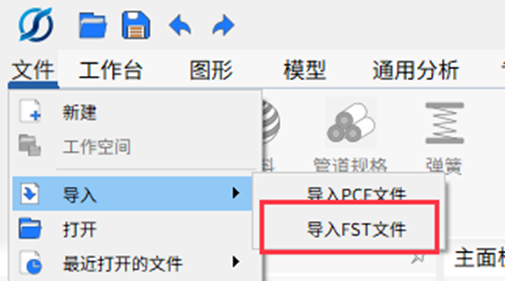
(2)导入fst文件:文件→导入→导入fst文件
文章版权声明:本文由[JosephXS]原创发布,版权所有。
未经书面授权,禁止任何单位及个人以任何方式进行转载、摘编、复制或建立镜像。违反上述声明者,将依法追究其相关法律责任。